Shopping Mode
What it does
Section titled “What it does”1. Starting a trip
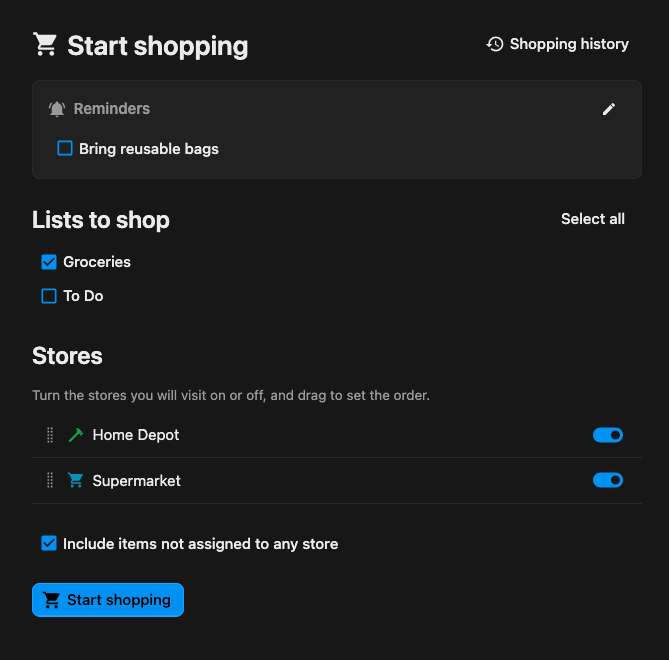
Section titled “1. Starting a trip”From any list (or All Lists) you open Start shopping. You pick:
- Which checklists to shop (pre-selected from where you launched).
- Which stores you’ll visit, and in what order — toggle stores on/off and drag to arrange the route. Only stores that actually have unchecked items on the selected lists are offered.
- Whether to include items not assigned to any store (buy-anywhere items).
There’s one live trip per person at a time. If you already have a trip running (even in another house), you’ll be offered Resume or End previous trip instead of silently starting a second one.
2. Shopping
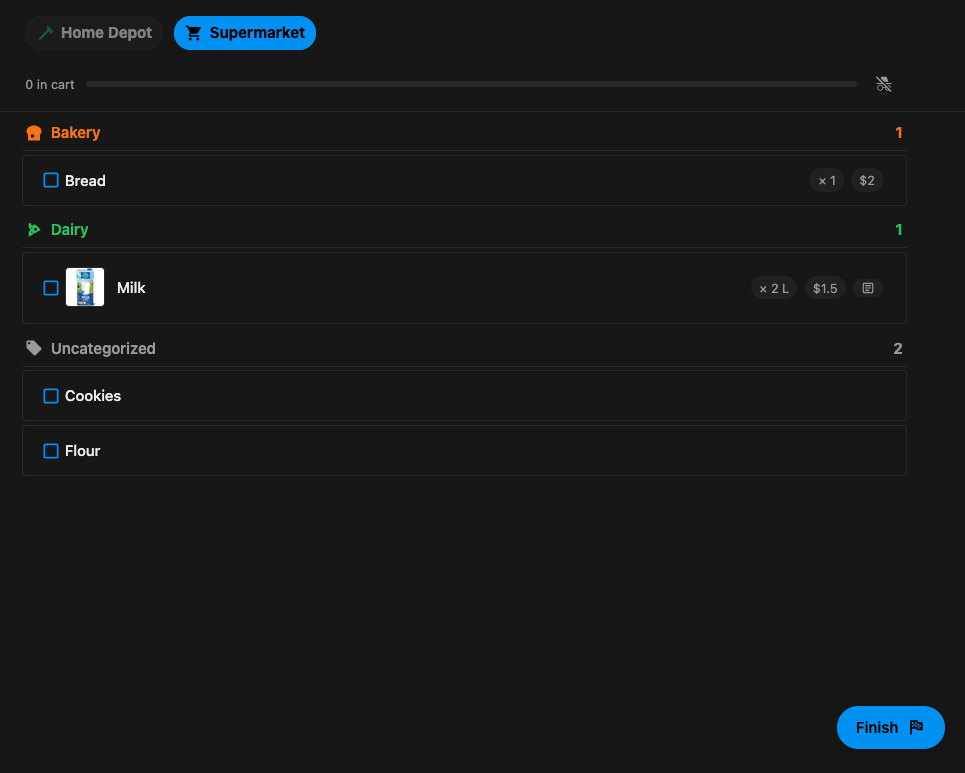
Section titled “2. Shopping”The trip view is a dense, single-column list of everything still to buy, grouped under sticky category headers, narrowed to the active store. Tapping a row checks the item off — it drops out of the list and into a Done drawer at the bottom (tap again to undo). A sticky bar up top shows your store sequence and progress; tap a store to jump to it, or use the floating action button to move to the next store / finish.
The list refreshes about once a minute (and immediately when you return to the tab), so if a housemate checks something off, it disappears from yours too.
3. Presence — who’s out shopping
Section titled “3. Presence — who’s out shopping”While you shop, your session sends a lightweight heartbeat. Housemates’ avatars appear on the store bar next to the store each person is currently shopping, so nobody double-shops. Presence is approximate and forgiving (it fades after ~15 minutes of no activity, and pauses when your tab is backgrounded). If you’d rather not be seen, flip the shop privately toggle in the store bar — your trip is hidden from housemates’ presence (and later from their history).
4. Reminders
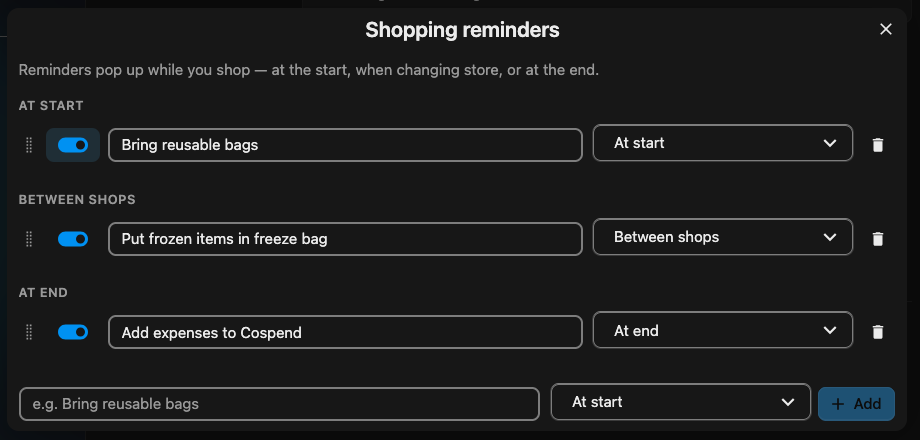
Section titled “4. Reminders”Households can define their own prompts — e.g. “Bring reusable bags”, “Check the freezer aisle” — that pop up at the moment they matter: at start, between shops, or at end. Manage them from House settings → Shopping, from the start screen, or inline while shopping. In the manager, reminders are grouped by moment into three drag-reorderable lists; each row has an enable switch, the text, and the moment it fires. Change a row’s moment to move it between groups. When a step has no reminders, you’ll see a small empty state with an Add reminders button.
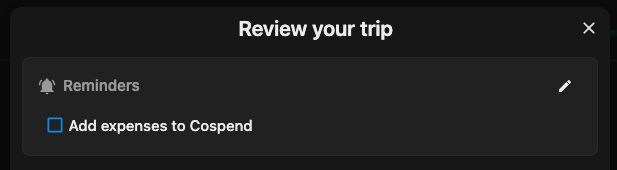
While shopping, enabled reminders show as a small, non-blocking checklist at their moment — you can tick them off as you go, but nothing is required and the ticks are just for your own tracking (they don’t persist across a reload).
5. Finishing & review
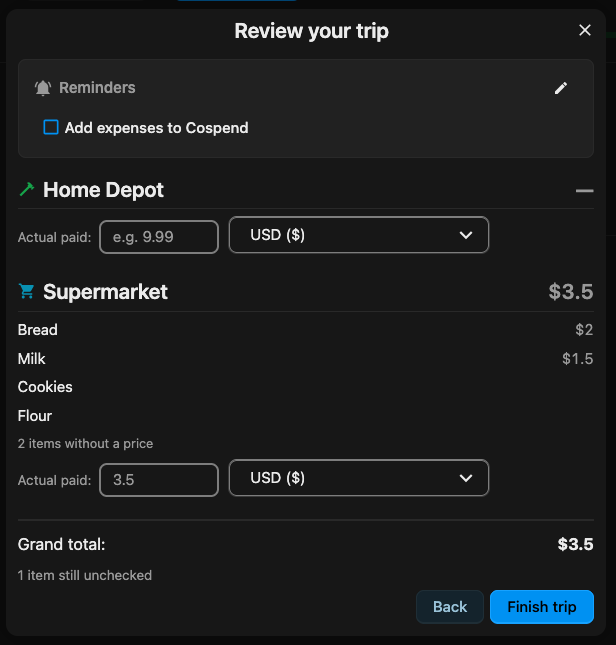
Section titled “5. Finishing & review”When you finish a store or the whole trip you get a review: items grouped by the store you bought them at, an estimated total per currency (from item prices, shown as a range when prices are ranges), and a field to enter what you actually paid per store (or for the whole trip if you shopped storeless). Finishing stamps the trip closed.
6. History
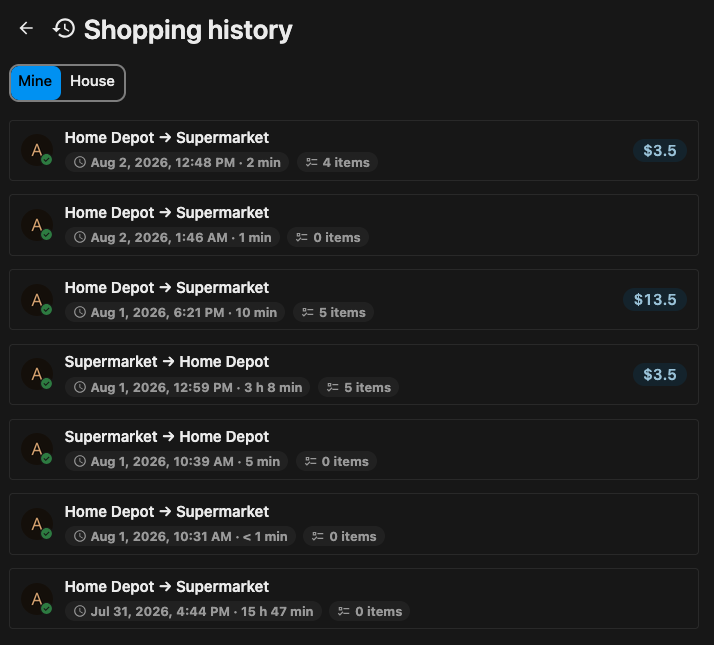
Section titled “6. History”Finished trips land in Shopping history (linked from the start screen). Each row shows the store route, item count, duration, and total; opening one shows the same read-only grouped review. You can view just your trips or the whole house’s (private trips stay hidden from housemates). Closed trips render from a snapshot taken at close time, so they stay intact even if the underlying items are later edited or deleted. Old trips can be auto-pruned via a configurable retention period (default: keep forever).