
Manage house
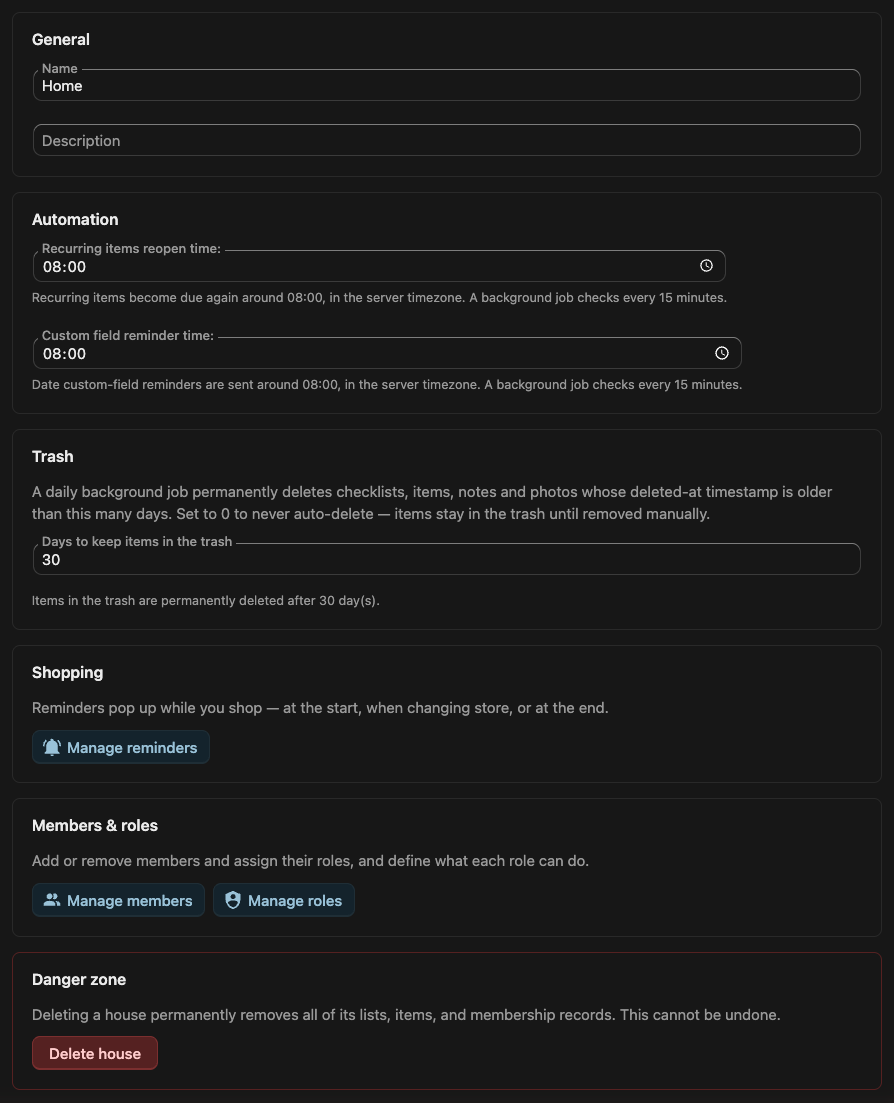
Everything in Pantry belongs to a house (see Permissions for how a house scopes access). The Manage house page is where you set that house’s own options — its name, the times its background jobs run, how long the trash is kept, and who belongs to it.
Open it from the house menu in the sidebar.
Most fields save together from the Save changes button in the toolbar; leaving with unsaved edits prompts you first. Members, roles, shopping reminders, and deleting the house each have their own flow.
General
Section titled “General”- Name — what the house is called throughout Pantry. Required.
- Description — an optional short line of context for the house.
Automation
Section titled “Automation”Both times run in the server timezone, and a background job acts on them every 15 minutes — so an item comes due within about a quarter-hour of the time you set, not to the exact second.
- Recurring items reopen time — the time of day a recurring item becomes due again once its schedule comes around. Defaults to 08:00.
- Custom field reminder time — the time of day that date custom-field reminders are sent. Defaults to 08:00.
- Days to keep items in the trash — a daily background job permanently deletes checklists, items, notes and photos whose deletion is older than this many days. Set it to 0 to never auto-delete — trashed things then stay until removed by hand. Defaults to 30, and accepts a whole number up to 3650.
Shopping
Section titled “Shopping”- Manage reminders — opens the reminders that pop up during Shopping Mode — at the start of a trip, when changing store, and at the end. This section appears only to members who can edit lists.
Members & roles
Section titled “Members & roles”- Manage members — add or remove people and assign each one a role.
- Manage roles — define what each role is allowed to do.
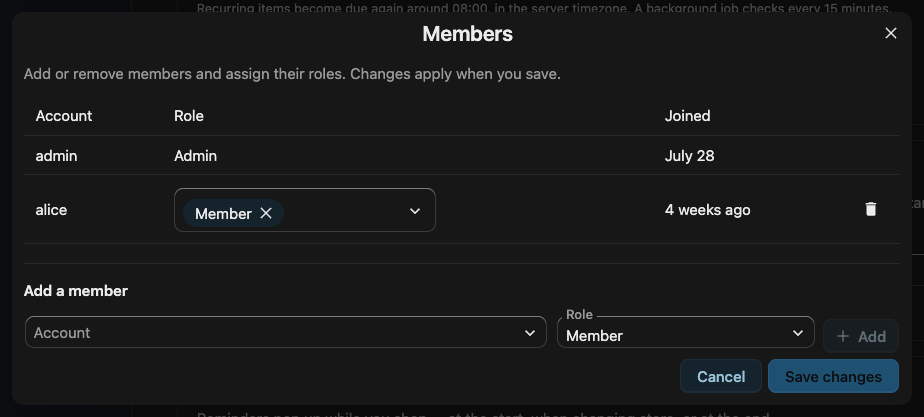
Both open their own dialogs; the full role and capability model is covered in Permissions.
Danger zone
Section titled “Danger zone”- Delete house — permanently removes the house and all of its lists, items, and membership records. Pantry asks you to confirm first.